unified communications
Support
Training & Support for your UC & CC Products
UNIFIED COMMUNICATIONS SUPPORT
Demos
UC Desktop App Demos
(Setup, Placing/Receiving Calls, Voicemail and Call History, Presence)
(Must watch on desktop)
(Must watch on desktop)
(Must watch on desktop)
(Must watch on desktop)
(Understanding the Differences between Computer and Deskphone Calling Devices)
UC Desktop App Within Teams Demos
Archiving Demos
UC Control Panel Demos
(for UC System Administrators)Apps
Download Mobile App


Download Desktop App
User Guides
Ascend Teams Embedded Integration
(for Unified Communications MS Teams users)
Administrator and User Portals
(For Administrators to reference/manage their UC users, settings, Auto Attendants, Hunt Groups, Reports & Analytics, and more.)
(For Administrators and users to securely store, manage, and access archived communications, including call recordings, messages, and meetings.)
(For Administrators and users to send and receive faxes electronically over the internet, without the need for traditional fax machines.)
CONTACT CENTER SUPPORT
Demos
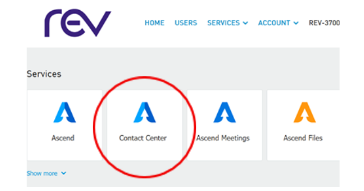
Administrator and User Portals
(For Administrators to manage their Contact Center agents, scripts, IVRs, reports, and more.)
(For Administrators and users to securely store, manage, and access archived communications, including call recordings, messages, and meetings.)
DESK PHONE SUPPORT
Demos
Quick Start Guides
Get Started With Unified Communications for Microsoft Teams in South Louisiana
Ready to turn Microsoft Teams into your complete business phone solution? Let our sales consultants help you find the right fit for every user on your team. With REV Fiber’s Unified Communications for Microsoft Teams in South Louisiana, you get a true solution that keeps your people connected and your customers happy.
Build your plan online with our easy-to-use plan builder. Fill out the short form below or call 866-625-4100, and we’ll be happy to help.
"*" indicates required fields